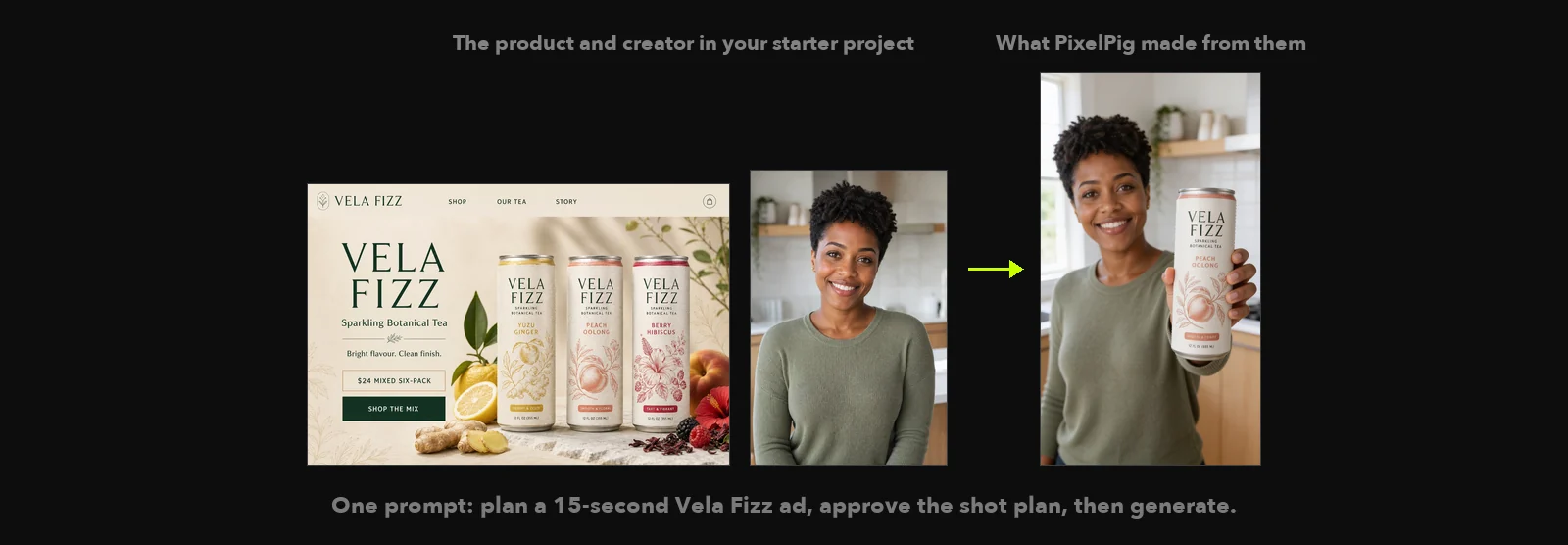
Create with PixelPig in Claude Code
Talk through your idea in Claude Code; PixelPig makes the images, video and sound you approve.
Why use it
You describe what you want in ordinary language. Claude Code shapes the treatment and shot plan with you, and nothing is generated or paid for until you say yes.
Set it up
Set up PixelPig in Claude Code
Set up PixelPig for me using https://www.pixelpig.net/agent/setup.md. Handle routine setup quietly, guide me one step at a time when I'm needed, and when it's ready ask what I would like to make.
Then direct your first scene
/pixelpig-cinema-director Open my Pixel Pig project and use tea.jpg and tea-creator.jpg with the Vela Fizz brief in tea.md to plan a 15-second ad. Show me the shot plan and wait for my approval before you generate anything.
Do this
- 01Paste the setup message into Claude Code. It installs or opens PixelPig, which provides Cinema Director, then connects them for you.
- 02Restart Claude Code only if it asks, then describe what you want to make or paste the first-scene message.
- 03Cinema Director checks that an AI service is ready, guides setup if needed, then presents a shot plan before anything is made or paid for.