Review a workflow run and its results
Open History to inspect outputs, settings, status, and earlier runs.
Why use it
History keeps completed and recent work together, so you can recover a result or reuse a setup without starting from memory.
Do this
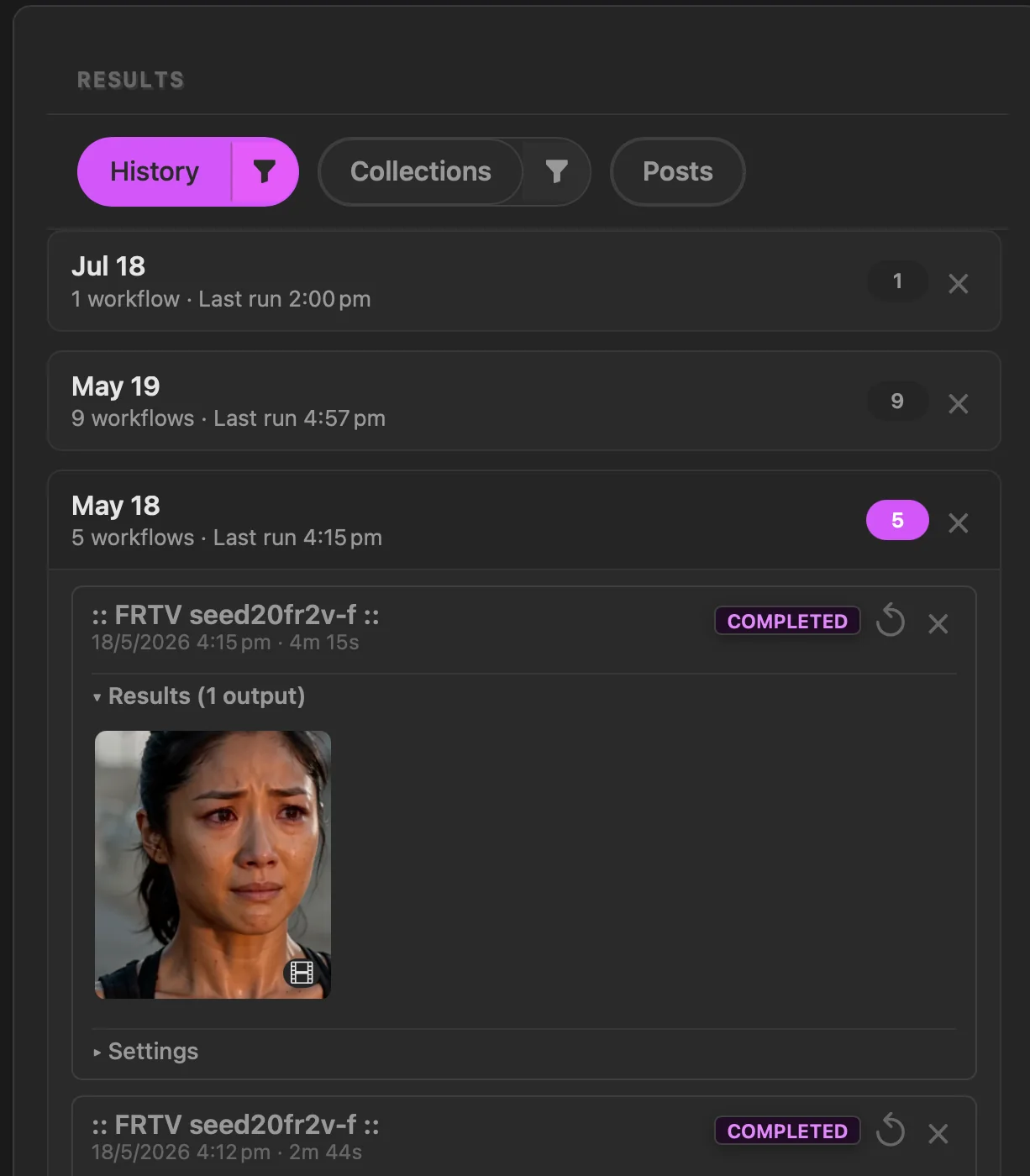
- 01Open History in the Results panel.
- 02Open a date group and find the run you want to inspect.
- 03Open Results when saved outputs are present. Open Settings when that run provides saved parameters to review.
- 04Choose Recreate workflow to restore the saved provider, workflow, and available settings into Actions, then check them before running again.