Arrange and export an album
Order project audio tracks, balance their levels, and export processed FLAC tracks.
Why use it
Album Builder gives a simple home to a sequence of music, narration, or other finished audio.
Do this
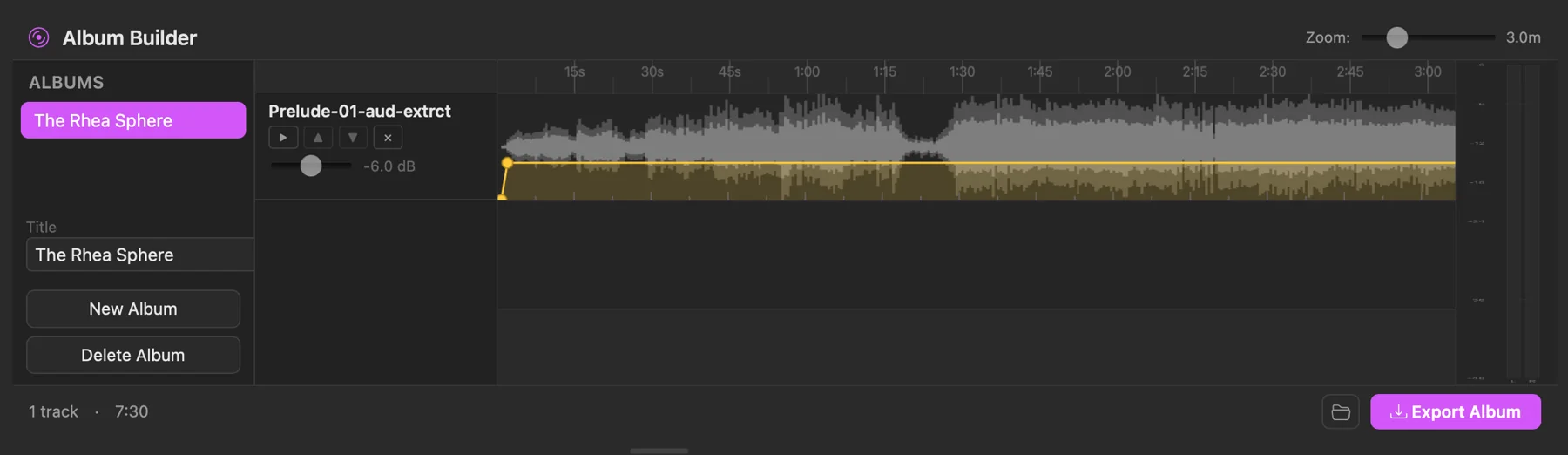
- 01Set a project folder, switch Source to Project, then open Album Builder from the top toolbar.
- 02Choose New Album, then edit its Title.
- 03Select or preview an audio file, then click the Drop audio here or click to add area.
- 04Put the tracks in order and adjust their volume where needed.
- 05Choose Export Album. PixelPig writes the ordered tracks as individual FLAC files under the project's albums folder; it does not create one combined audio file.