Keep related media in a collection
Group related media and play an attached audio track in Compare for presentations and tutorials.
Why use it
Keep character references, locations, or a presentation together, even across folders. Collections store file paths, so adding media does not copy it.
Build your collection
- 01Open Collections in the Results panel. Choose a collection from the list on the left, or choose New collection and use the pencil beside its name to rename it.
- 02Select files in the media browser and choose Add selected media at the top of the collection. Drag the thumbnails, or use Move earlier and Move later, to put them in presentation order.
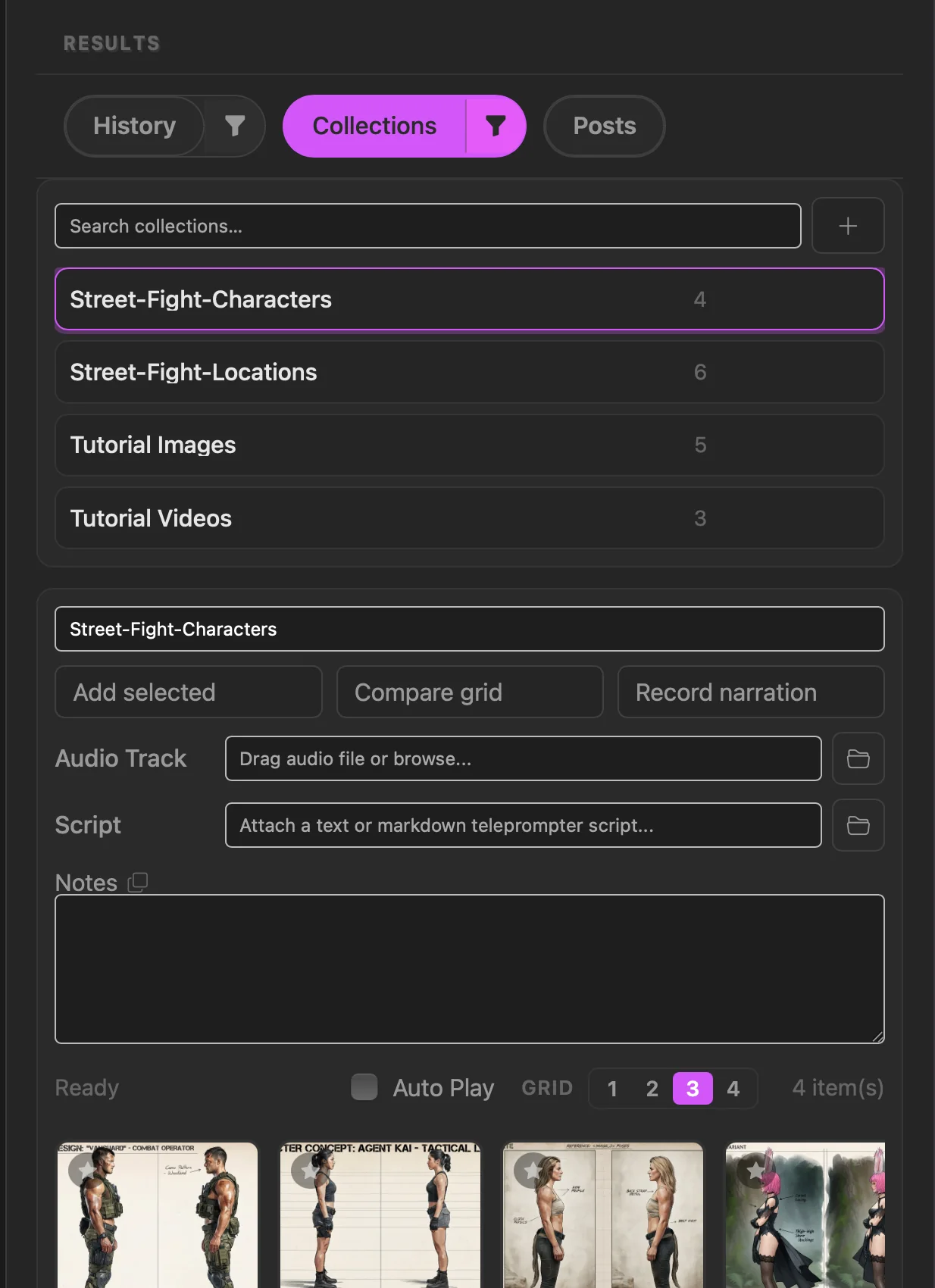
Choose a collection from the list on the left. Its media appears on the right, with Audio, Script and Notes below the grid.
Set up Compare
- 03Open the three-dot Collection settings menu beside the collection name. Under Compare grid, choose how many items to show at once, from 1 to 4, then close settings. To show a particular item alone, turn on its star in the collection grid.
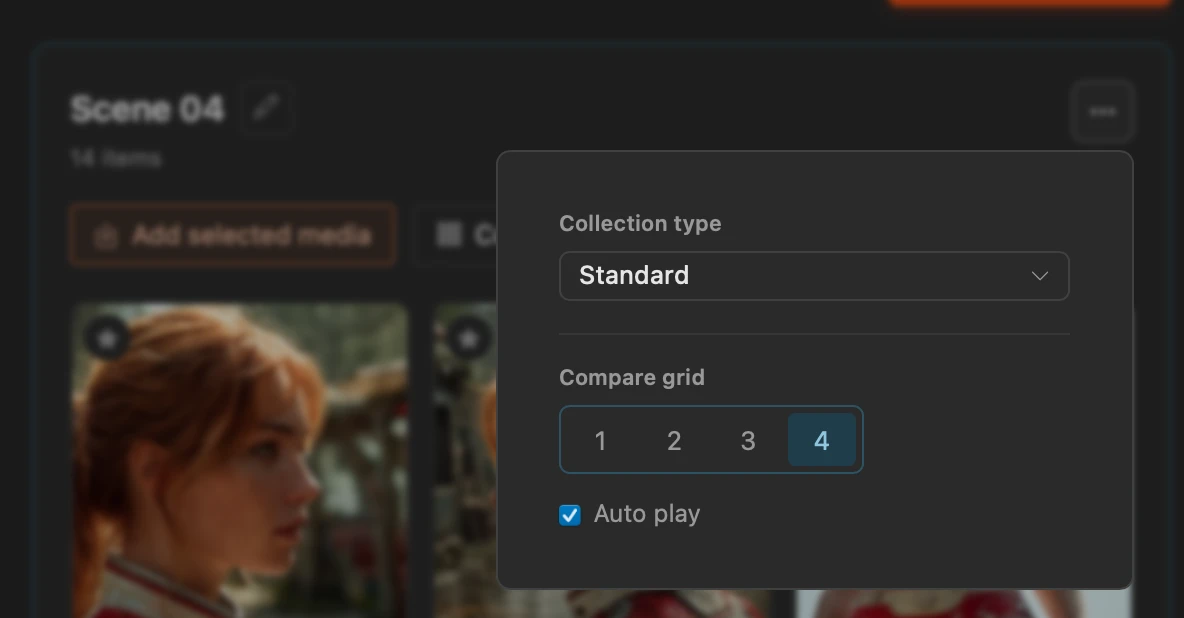
This collection is set to show four items at a time. Auto play starts videos when they appear; Space controls the attached audio track.
Present with audio
- 04Drop a soundtrack or narration file onto Audio below the media grid, or click the attachment to browse. Add a Script or Notes if useful.
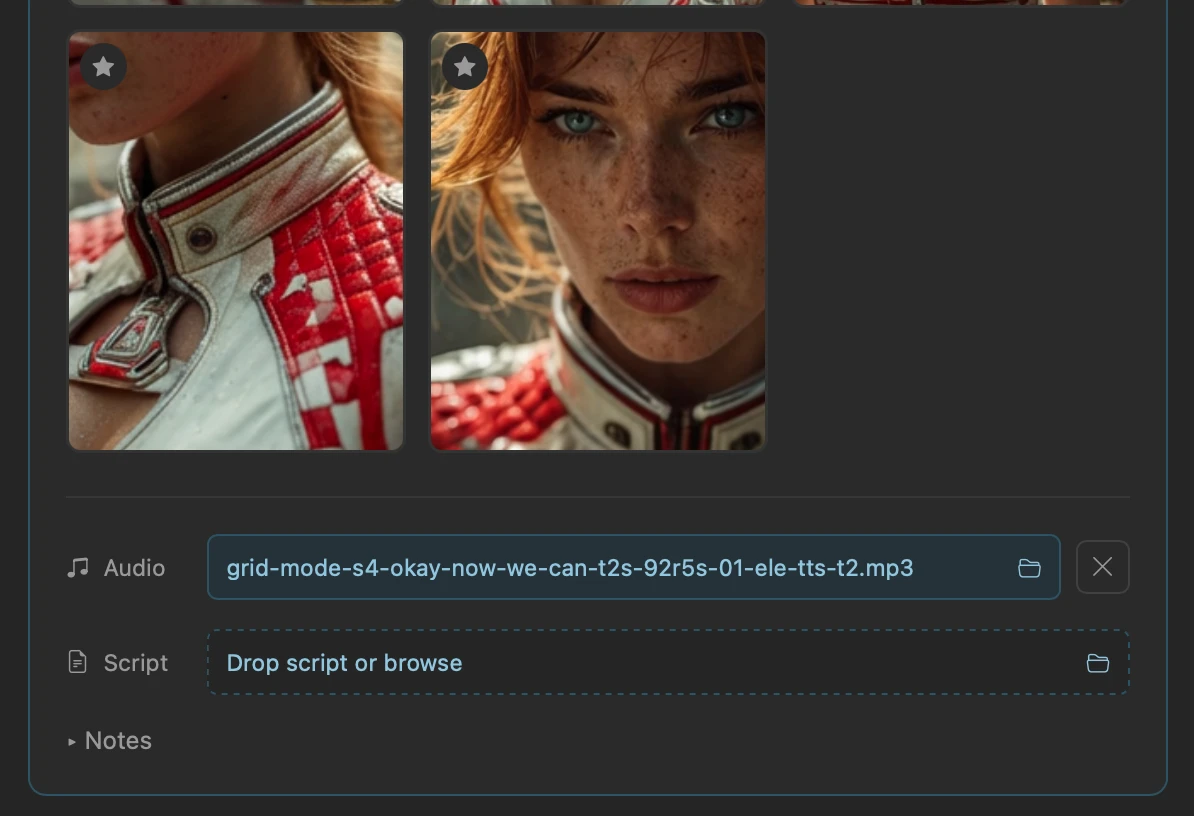
The MP3 filename shows that a track is attached. Space plays or pauses it once you open Compare. - 05Choose Compare at the top of the collection. Press Space to play or pause the attached track, and use the left and right arrow keys to move through the media as you present your collection or tutorial.
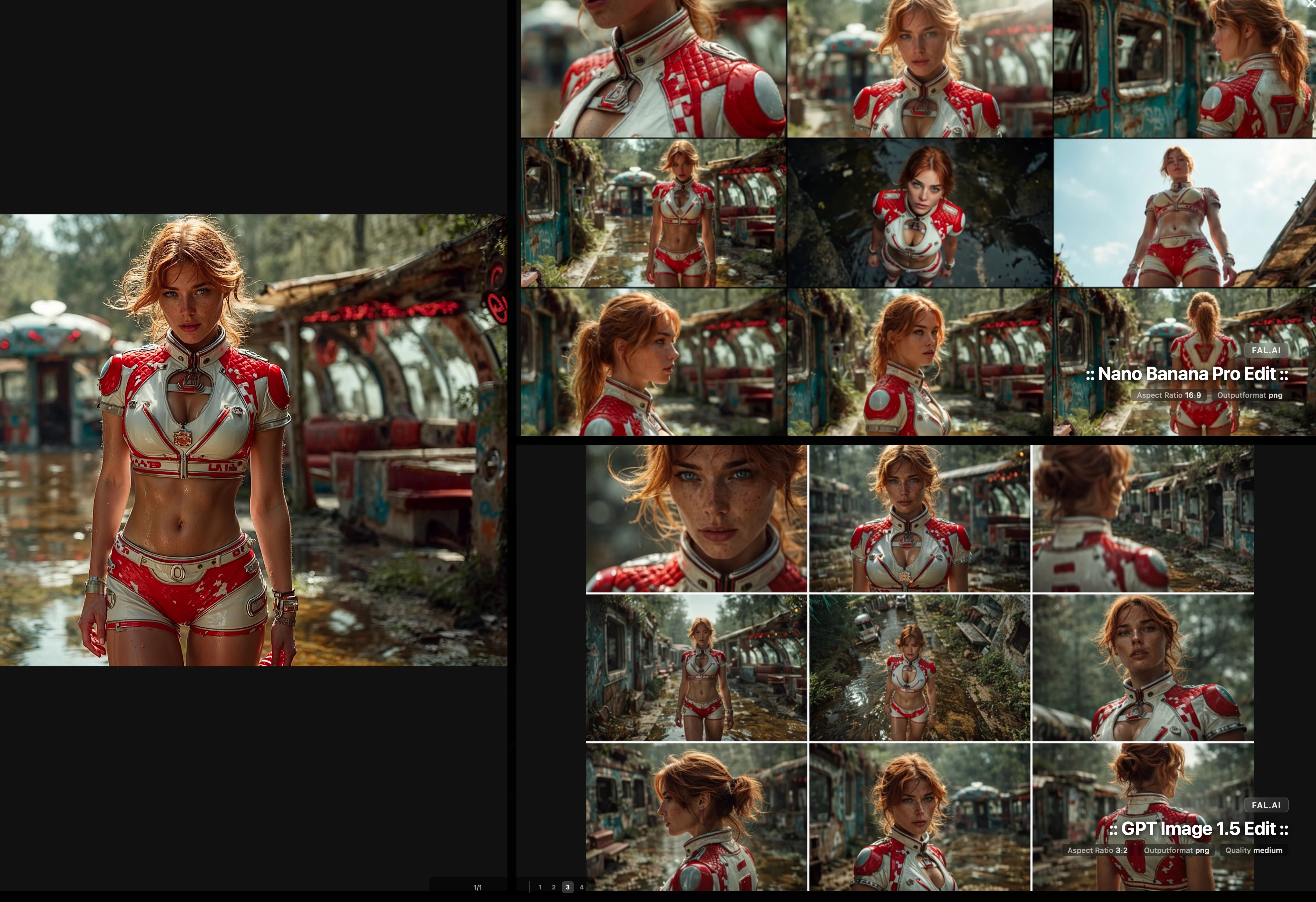
Three items in Compare: one character image and two image sheets. Each sheet counts as one item.