Build and reuse a prompt
Save useful prompt text with a title and tags, then apply it to another workflow.
Why use it
A prompt library preserves strong starting points while still letting you adapt them for each new job.
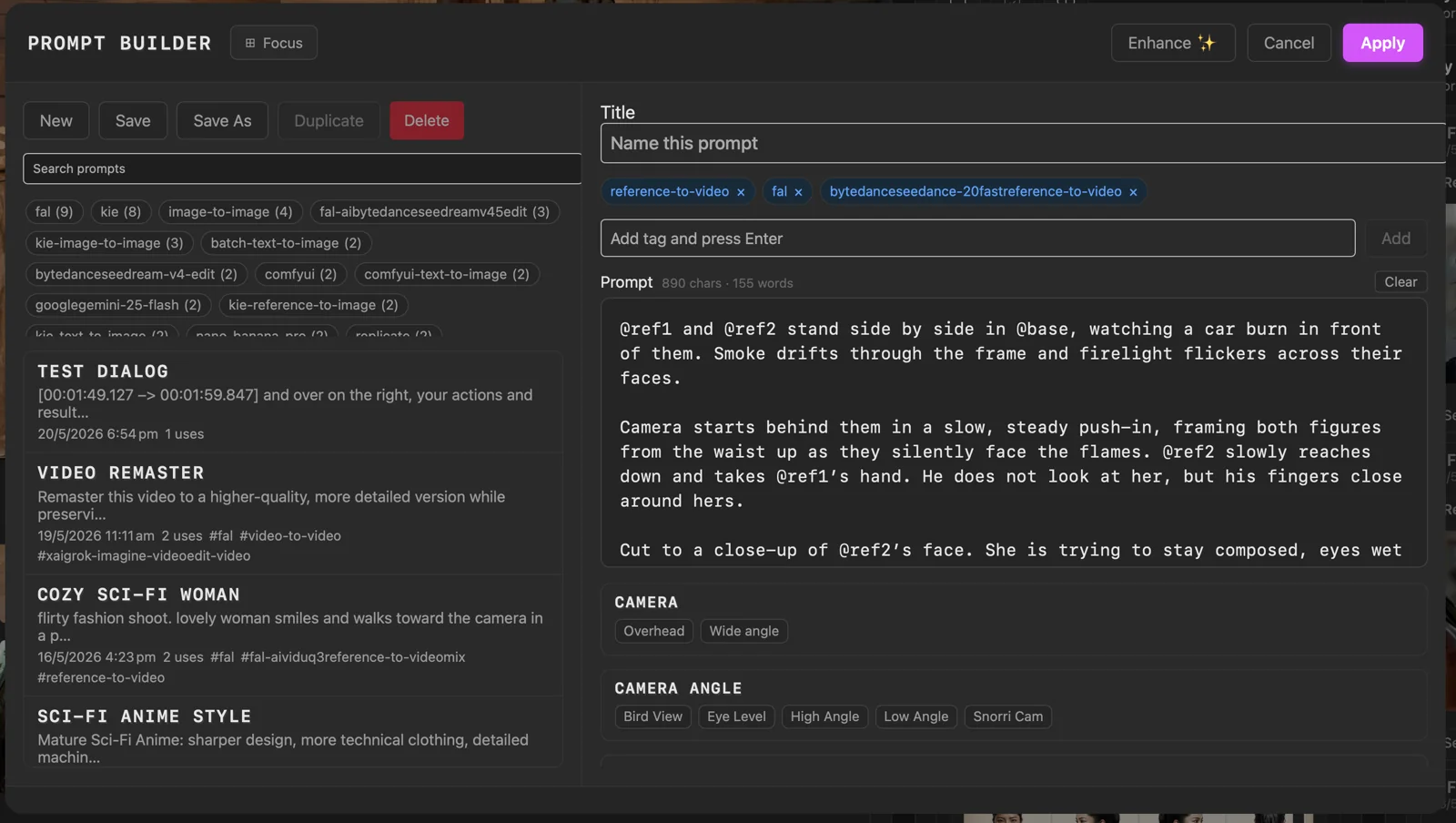
Do this
- 01Choose Prompt Builder beside a supported workflow prompt.
- 02Create or select a prompt, give it a clear title, and add useful tags.
- 03Edit the prompt and any supported snippets you want to include, then choose Save or Save As.
- 04Choose Apply to pass the current text back to the workflow.